
Learn › Game craft › Animation & 3D
Game craft · class 1 · no experience needed
Why your 3D character looks wrong
Six real bugs from one real game, and the rule each one taught us. If you have never opened a 3D program in your life, start here — every idea below has a picture or something you can drag.
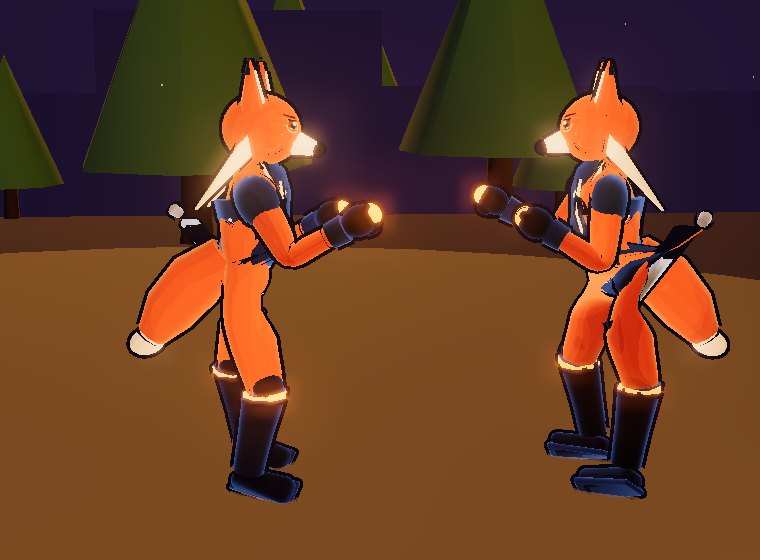
Where this comes from. We built a fighting game called
Emberfist — three characters, made in Blender, animated entirely in code.
Along the way the owner kept looking at the screen and saying things like “the faces look like blobs”,
“the legs look like <>”, “it collapsed into a pile of limbs”.
Every single time, the cause was something small and specific — and none of them threw an error.
None of this is secret and almost none of it is ours. The techniques are published: a GDC talk from Arc System Works, the foot-IK rule from the open-source ozz-animation library, Art Babbitt's animation principles from the 1930s. What is ours is the list of ways we got them wrong.
First: what a 3D character actually is
Three separate things, and almost every “bad animation” problem is really one of them being blamed for another's mistake.
The mesh
The visible skin — a few thousand triangles. On its own it is a statue and cannot move.
The skeleton
A tree of invisible bones. Ours has 24: hips → spine → chest → neck → head, plus arms and legs. Each triangle of the mesh is glued to one or more bones, with a weight saying how strongly.
The pose
Where every bone is pointing, right now. An animation is just a list of poses and the frames they happen on.
Try this mental test. If a character looks stiff, ask: is the pose boring, or is the skeleton unable to do the thing you want? We spent two entire passes writing better poses for a rig that physically could not twist. Adding more animation to a skeleton that cannot express it is wasted work.
Drag the sliders — this is a leg, and nothing more
Two bones, two angles. That is all a leg is to the computer — which is exactly why it will happily bend the wrong way if you let it. See lesson 2.
Lesson 1 — a face is a drawing, not a lump
“The faces look like blobs.”
Our first faces were built the obvious way: a white ball for the eye, a dark ball for the pupil, a small box for the eyebrow, all stuck onto the head. It seems reasonable. It looks terrible, and for three separate reasons — which is why “make the eyeballs nicer” could never have worked.
- Every ball has its own shadow. Our characters are lit in hard bands (the cartoon look). A ball stuck on a cheek gets its own band, so it reads as a lit sphere sitting on a face rather than as an eye.
- Every ball gets its own outline. The black outline round our characters is made by drawing the model again, slightly bigger, inside-out. Do that to twelve little balls and the face becomes a cluster of outlined blobs.
- Nothing can be thinner than a triangle. Eyelash lines, the crease of a lid, a highlight — all of those are thin. As geometry they cost real triangles, so they simply got left out. A face without them is a mask.
The fix is what Arc System Works do, and they say it plainly: shape the head first, then draw the face onto it as a texture. We put a small curved patch on the front of each head and paint it with ordinary 2D drawing commands when the game loads.
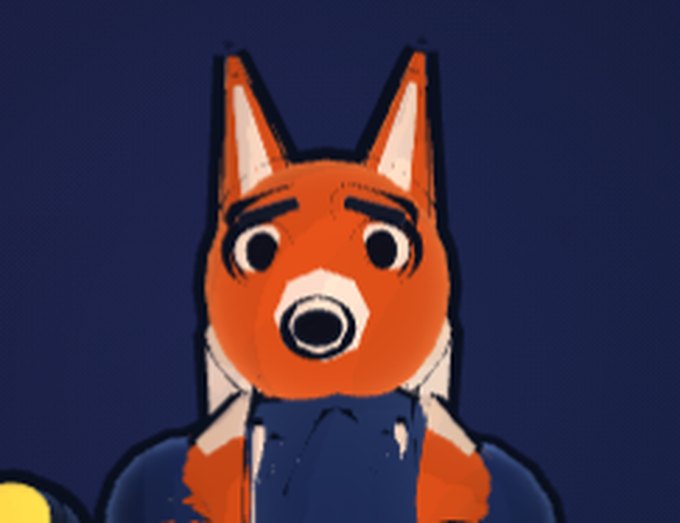
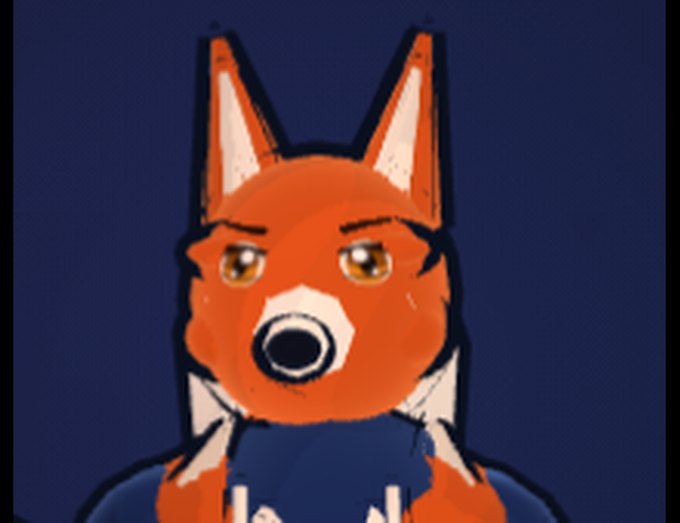
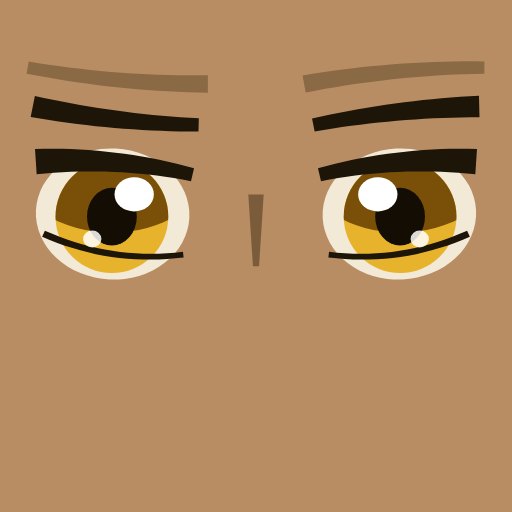
The rule. Detail that is marks on a surface belongs in a texture. Detail that changes the silhouette — a muzzle, an ear, a horn — belongs in the mesh. Ask which one you are making before you build it.
Lesson 2 — knees only bend one way
“The legs still look a little like <>.”
This one is lovely because the description is the diagnosis. < and > point
opposite ways — the front knee was bending forwards and the back knee was bending backwards.
Why? A pose stores each bone as a direction. Someone had built the right leg by mirroring the left, and mirroring means flipping left-and-right — but they also flipped front-and-back. One axis too far. The thigh ended up pointing backwards and the shin forwards, which is a knee bending the wrong way. It was in 66 different poses.
Both legs reach the same foot position. Only the knee differs.
The foot and hip are locked. Flipping the knee changes nothing about where the character is — and everything about whether they look like a person.
The interesting part is where we fixed it. Not in the 66 poses. Sixty-six hand-edited numbers is not a fix, it is sixty-six chances to get it wrong again — and it does nothing for the sixty-seventh pose someone writes next month. “A knee bends forwards” is a fact about legs, not a style choice, so it belongs in the code that drives the skeleton. Now every pose gets it for free, including ones that do not exist yet.
The rule. When lots of hand-made records break the same rule, fix the rule in code — not the records.
And the trap we fell into fixing it. Our first attempt used a stored “which way is this character facing” value that was set once when the character was created and never updated. So it corrected the knee the wrong way for whichever fighter was facing left. We only caught it because the test checks both facings. If you test one direction, a direction bug passes every time.
Lesson 3 — why feet skate
A walk cycle is a short loop of poses. The obvious way to play it is by time: advance the loop a bit every frame. Do that and the character glides, because the loop has no idea how fast the body is actually moving. Slow them down and the legs keep pedalling at the same speed.
Play it by distance travelled instead — advance the loop in proportion to how far the character actually moved — and the feet plant. Nothing else changes. It is a one-line difference and it is the single biggest improvement we made to walking.
Same walk cycle, two clocks
Top: phased by time — the contact marks slide. Bottom: phased by distance — they stay put. Drag the speed down and watch the top one skate.
The rule. Drive a cycle by the thing it is supposed to represent. A walk represents ground covered, so phase it on ground covered.
Lesson 4 — everything must not happen at once
Our punches were stiff and we assumed we needed more keyframes. We did not. The problem was that every joint arrived at the same instant, which nothing alive does.
Art Babbitt, a Disney animator, called it successive breaking of joints: in any action the hips lead, the chest follows a beat later, then the shoulder, the elbow, the hand. On the way back the head moves last, because it is heavy. We implemented it as one subtraction — each bone reads the same animation a few frames in the past.
One animation, played with and without lag
Identical keyframes in both. Drag the lag to zero and the arm becomes a windscreen wiper.
But not on the hit. Our first version delayed everything by a fixed amount, which meant that on a fast punch the fist was still winding up when the damage happened — you pressed the button and saw nothing. In a fighting game the contact pose is what sells the hit, so the lag now ramps to zero at the moment of impact and returns on the follow-through. Style must not eat the thing the player is actually reading.
Lesson 5 — the pile of limbs
“After repeated attacks it collapses into a mangled pile of limbs.”
This one took three attempts, and each wrong answer is worth more than the right one.
Attempt 1 — the fall was applied twice
Our knocked-down bodies are simulated with a simple physics model. It aimed every bone at a true direction in the world — the body was already lying down — and then also asked the character to lean over by 81°. The code obediently leaned it a second time, folding the ribs back over the hips.
The rule. If something already describes the final result, do not also ask for the movement that got it there.
Attempt 2 — nothing knew what a knee was
The physics held the body together with distance rules: the shin stays this far from the thigh. Nothing in a distance rule stops a joint folding completely flat. Measured on a settled body: the neck at 171° — the head folded down into the chest — and a knee at 168°, the shin doubled back through the thigh.
The fix is a classic: to limit the angle at a joint, limit the distance between its grandparent and its child. Constrain hip-to-foot and you have constrained the knee.
Attempt 3 — it was not the physics at all
The owner sent another screenshot, on a different character. This time the cause was the code that stops feet sinking through the floor. It lifts the whole body up by however much it needs — but it was measuring the body's position through a stale copy that already included last frame's lift.
That makes it a feedback loop, and feedback loops have a personality:
The same correction, at three strengths
Below 0.5 it settles — but on half the correction it needed, so the feet were always slightly wrong. At exactly 1.0 it bounces forever. Above that it explodes.
Our code used a strength that scaled with frame time, and it reached exactly 1.0 whenever the game dropped below 20 frames per second. At 60fps everything looked fine. On a slower phone, the entire body flipped between 1.56 m and 0.14 m above the floor every single frame, with the feet pinned in place — so the legs stretched a metre and back, forever. That is the pile.
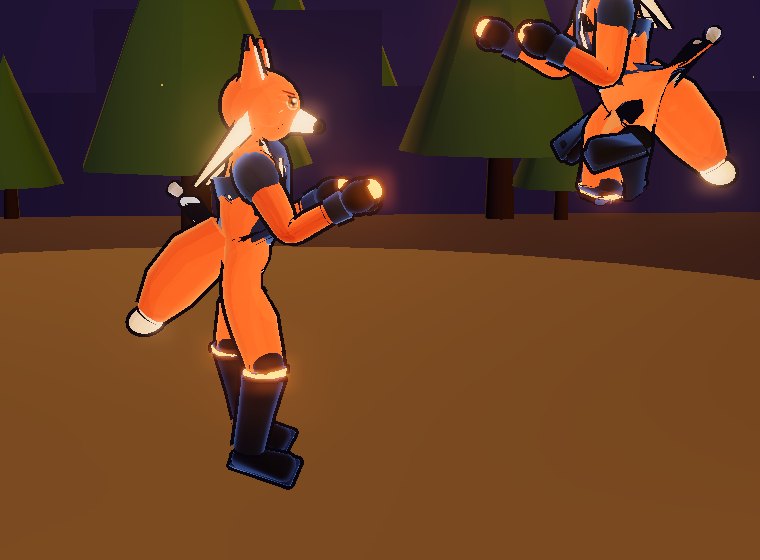
The rule. Any code that measures something and then changes it must measure the current value. And the frame rate is part of the test — this bug is perfectly stable at 60fps and never stops below 20.
Lesson 6 — how to know you actually fixed it
Every bug on this page was found by a person looking at a screen, not by a test. So we wrote tests. Then the tests started lying to us, which taught us more than the bugs did.
A relative measurement is blind
We checked that the distance from head to hips never collapsed — a good check, and it caught a folded body. It also sat at a perfect 0.54 m while the entire character was floating 0.86 m above the floor. Ask what a number is measured against.
One sample is not a test
We checked one knockdown and it passed. Then we deliberately broke the code to see if the test would notice — and it did not. Five knockdowns caught it. Break your own code on purpose and check that the test goes red.
Say what “broken” looks like first
Before fixing anything, measure the broken version and write the number down. “Folded scores 0.41, correct scores 0.82, the bar is 0.70” is a test. “It looks better” is not.
And the one that keeps catching us: a test that measures a deadline passes things that only just scrape in. We required a hand-over to happen “within the knockdown”, and a broken version squeaked in one frame before the end — technically correct, invisible on screen. The bar has to be the budget: the deadline minus the time the thing actually needs.
The whole class in nine lines
- Marks on a surface go in a texture. Silhouette goes in the mesh.
- Shape the head first, then draw the face.
- A knee bends forwards. Put facts like that in the code, not in the data.
- Phase a walk cycle on distance travelled, not on time.
- Nothing alive moves all at once — but never delay the moment of impact.
- If a pose already describes the result, do not also apply the movement.
- Distance rules do not know what a joint is. Constrain grandparent to child.
- Measure the current value, not last frame's. And test at a bad frame rate.
- Write down what broken looks like before you fix it.
Everything here is running in Emberfist — open the Move Gallery from its title screen to see every animation frame by frame. That tool found four broken inputs and a modelling bug within an hour of being built, which is the last lesson: build the thing that lets you look.